Unlocking Productivity with ChatGPT: Mind Maps & Markdown Presentations in Obsidian
Introduction
Artificial intelligence is revolutionizing the way we work. Among the myriad of AI applications, ChatGPT stands out as a remarkable language model developed by OpenAI. While ChatGPT initially garnered attention for its text-based conversational abilities, it has now evolved to offer incredible functionalities, such as creating mind maps and presentations in Markdown for Obsidian. In this blog post, we’ll delve into the world of ChatGPT, Obsidian, and how you can leverage their combination to supercharge your productivity.
What is ChatGPT?
ChatGPT is an advanced language model that uses deep learning to understand and generate human-like text. Initially based on GPT-3 architecture, its later versions have undergone refinements to enhance its capabilities. ChatGPT can answer questions, write essays, create conversational agents, and even assist in developing creative content such as mind maps and Markdown presentations.
Why Obsidian?
Obsidian is a versatile knowledge base application that works on locally stored markdown files. What sets Obsidian apart is its ability to link your thoughts and ideas effortlessly, allowing you to create a web of knowledge. With Obsidian, you can also convert your markdown files into presentations, making it an excellent tool for students, researchers, and professionals alike.
Generating Mind Maps with ChatGPT
Mind maps are an effective way to visually organize information. With ChatGPT, creating a mind map is a breeze. All you need to do is communicate your ideas and concepts to ChatGPT, and it can structure them into a coherent and visually appealing mind map.
Step-by-Step Guide:
Outline your Ideas: Start by giving ChatGPT a brief outline of the topics and subtopics you want to cover in your mind map.
Request the Mind Map: Ask ChatGPT to create a mind map based on the outlined ideas.
Refinement: Review the generated mind map and ask ChatGPT to make any necessary adjustments or refinements.
Export to Obsidian: Save the mind map as an image or a markdown file and import it into your Obsidian vault.
Crafting Markdown Presentations in Obsidian with ChatGPT
ChatGPT can also assist you in creating impressive presentations using Markdown in Obsidian. It can help structure your content, suggest design elements, and ensure a logical flow of information.
###Step-by-Step Guide:
Provide the Content: Share the content, structure, and any specific design elements you want in your presentation with ChatGPT.
Generate the Markdown: Request ChatGPT to create a Markdown file for your presentation.
Refinement: Go through the generated file and make any adjustments as needed.
Import into Obsidian: Import the markdown file into Obsidian.
Convert to Slides: Use Obsidian’s slide feature to convert your markdown file into a presentation.
The Synergy of ChatGPT and Obsidian
Combining the textual generation capabilities of ChatGPT with the organizational features of Obsidian opens up a realm of possibilities for content creation. Whether you’re planning a complex project, studying for an exam, or preparing a business presentation, this dynamic duo can greatly streamline your workflow and increase your productivity.
Conclusion
ChatGPT and Obsidian together create an incredibly powerful toolkit for information management and content creation. From creating intricate mind maps to designing crisp markdown presentations, this combination is a game-changer in the world of productivity. As AI continues to evolve, we can only expect more groundbreaking applications that will redefine the limits of what’s possible in content creation and knowledge management.
Samples prompt:
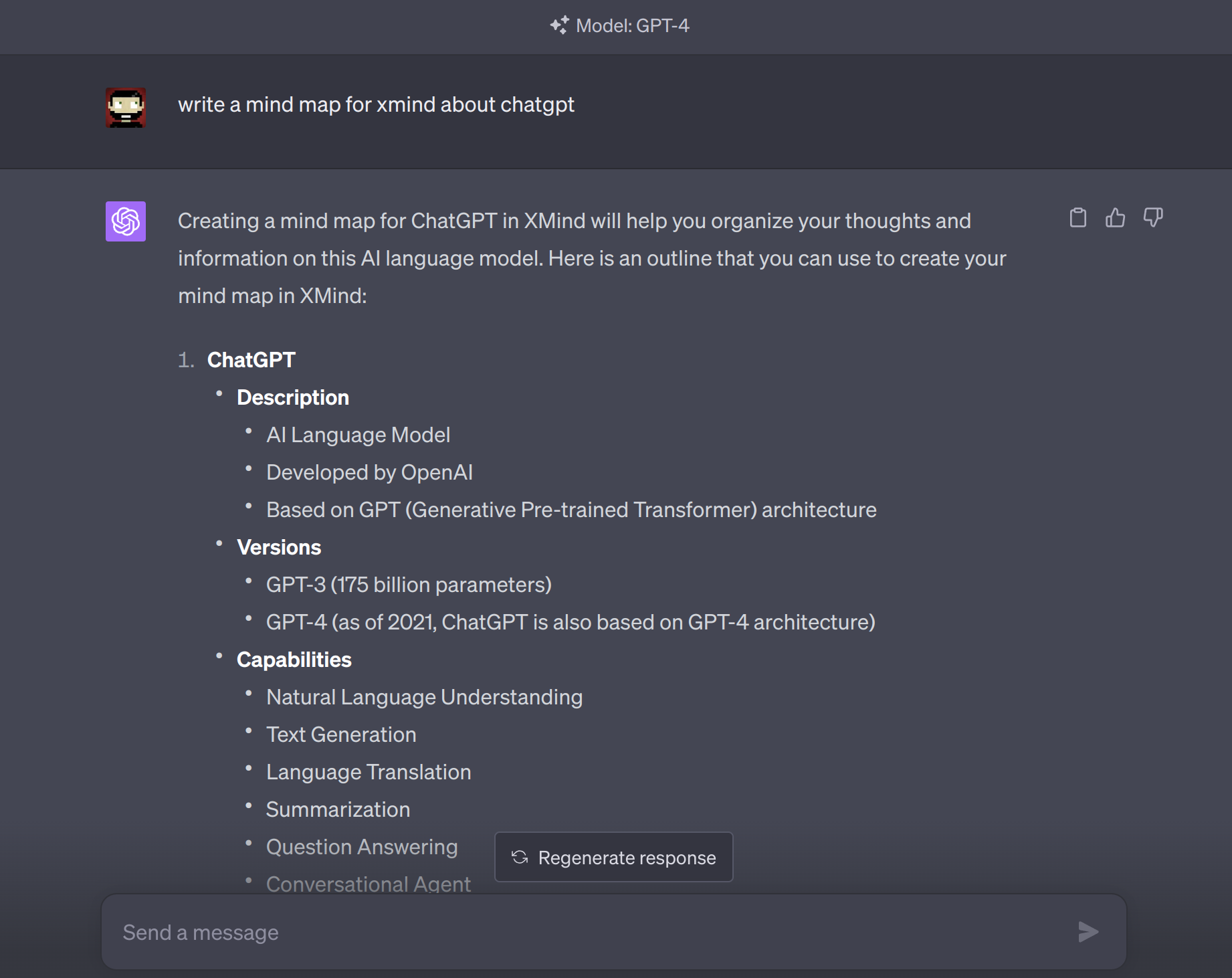
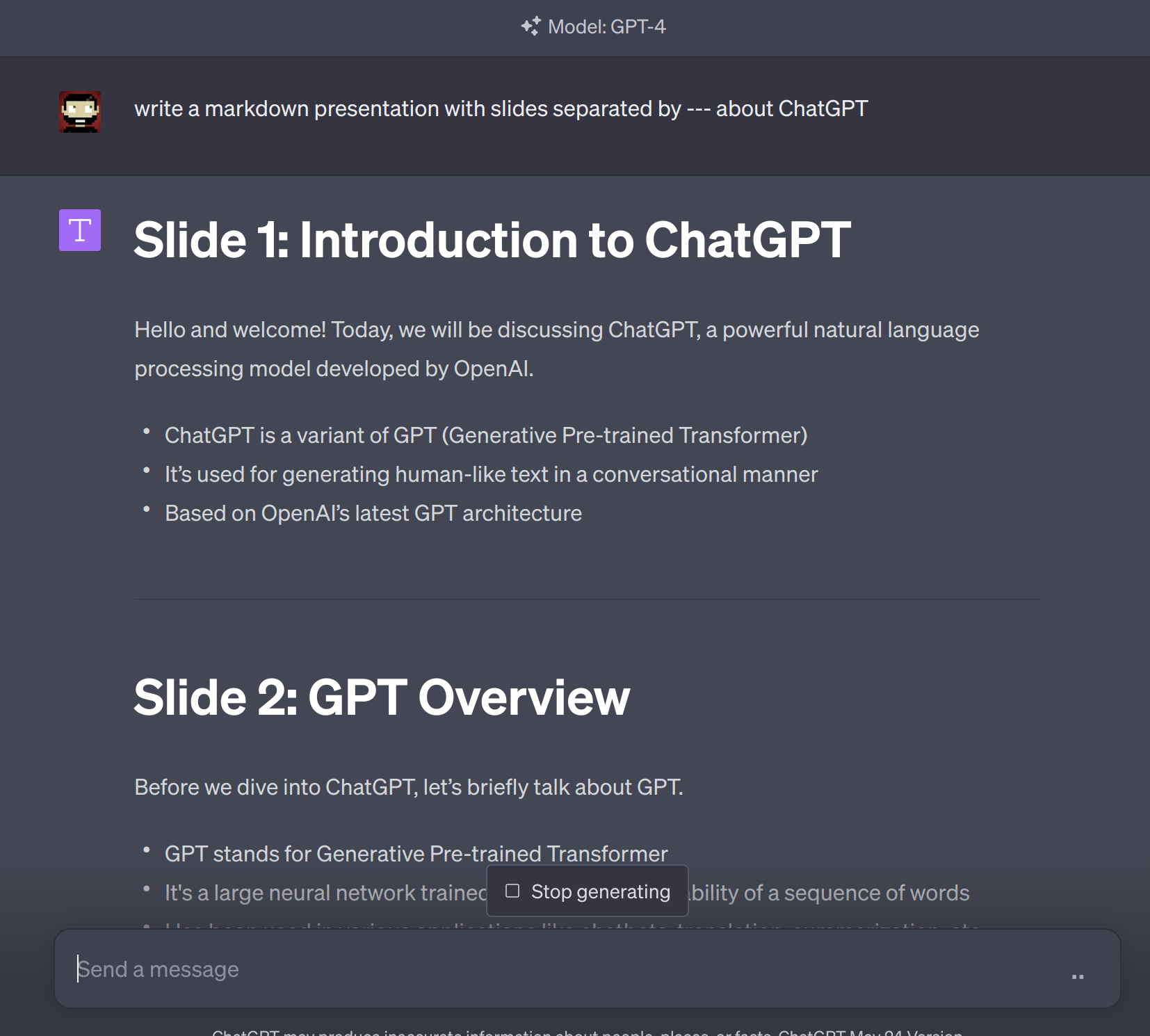
Results:
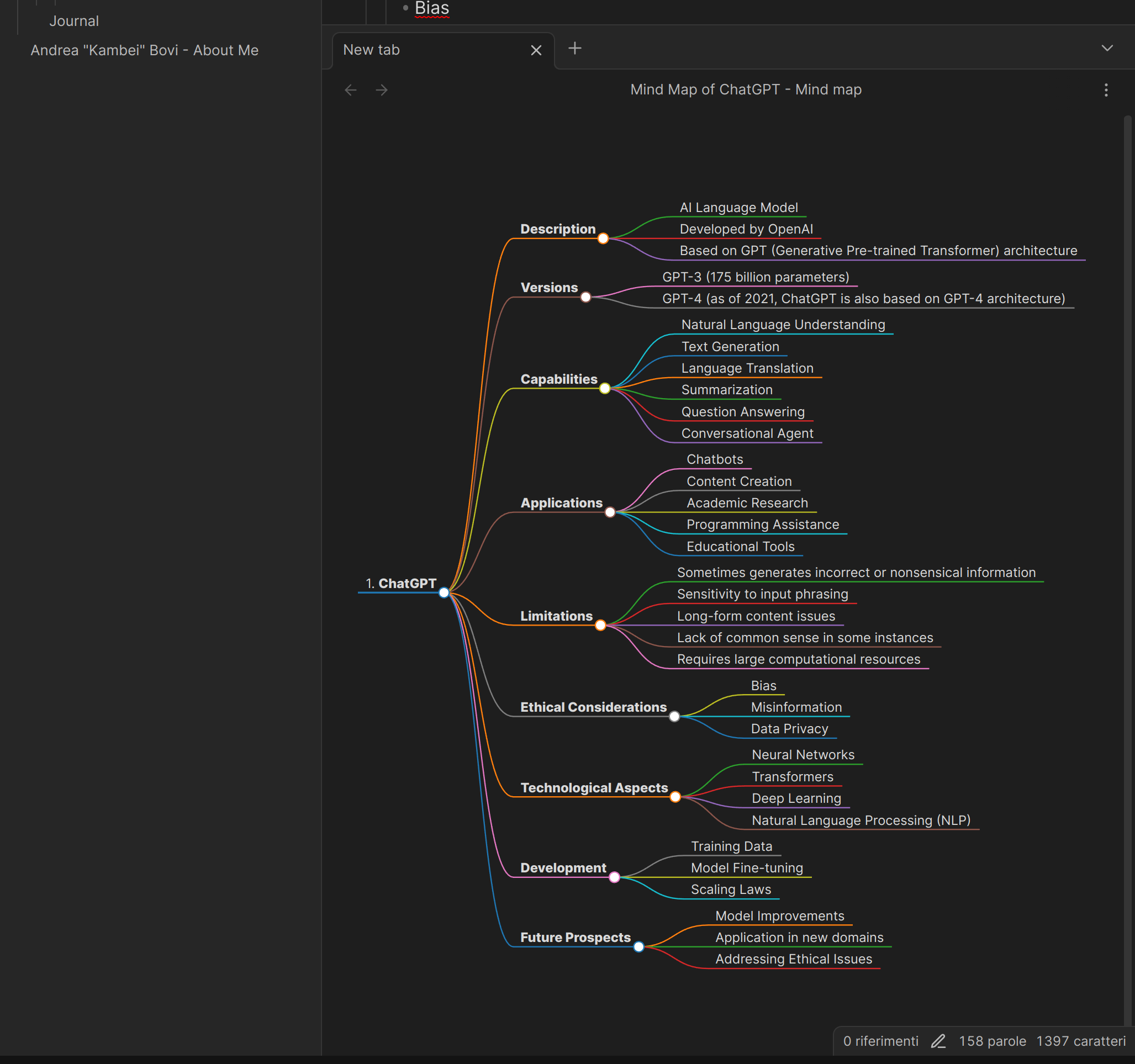
Creditd: OpenAI ChatGPT